The short answer
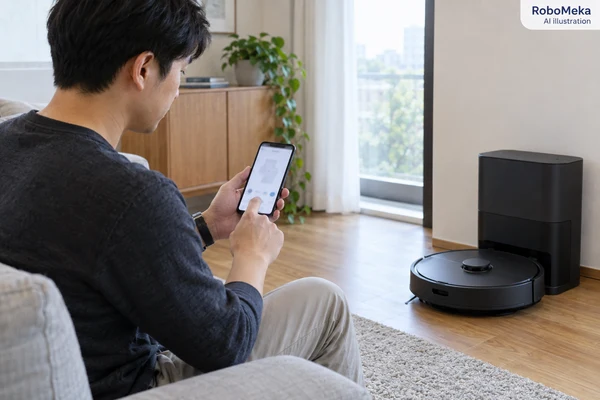
Shared robot vacuum access should let household members perform agreed tasks through their own accounts while preserving clear ownership and revocation controls. Buyers need to verify actual permissions for maps, schedules, remote viewing and device transfer on the intended app version. A sharing button alone does not establish those boundaries.
Introduction
One person installs the robot, another needs to start the kitchen routine, and a house-sitter needs temporary control. If the only explanation is use the same password, the household has no clear way to separate routine access from ownership. That is a practical buying issue before it becomes a customer-support problem.
Shared robot vacuum access should give household members agreed capabilities through their own accounts, with understandable ownership and removal controls. Buyers should verify invitations, actual permissions, map visibility and revocation on the proposed app version. A device-sharing button alone does not establish which information or functions another user receives.
This guide is for importers and private-label brands evaluating multi-user behavior in connected household robots. The proposed tests concern normal authorized accounts and supported controls. They are not a security certification, a report of RoboMeka testing or evidence that an unspecified platform offers every role or feature described below.
Define the people who need access
Start with the household's real roles. An owner may need to configure the device, manage the map and invite others. Another adult may need to start or pause cleaning. A temporary helper may need a limited subset for a defined period. These are customer requirements to discuss with the supplier, not roles every app necessarily implements.
Write down the tasks each person should perform and the information each needs to see. Starting a saved routine does not inherently require changing account details or inviting additional users. Viewing a cleaning history may be useful to one household and unnecessary to another. Keep the requirements tied to actual use.
Distinguish an adult household member from a guest, tenant or paid service provider. The person responsible for the robot should remain clear when someone leaves or changes duties. A household product can be suitable for shared domestic control without providing the administrative features needed for a managed property business.
The private-label robot app checklist addresses the wider software offering. Shared access deserves a dedicated review because it spans onboarding, daily operation, notifications, support and eventual ownership transfer, often across more than one phone and account.
Separate account ownership from device permission
An account identifies a user in the platform. A device-sharing permission lets another account perform supported actions on a particular robot. Ownership or binding may be a separate relationship that controls invitations, reset or transfer. Ask the supplier to explain these relationships in the actual system rather than relying on generic smart-home terminology.
Roborock's app privacy documentation describes device sharing with access to certain functions and identifies restrictions that depend on the functional configuration. It also describes canceling sharing. This supports a narrow but important point: shared access can differ from owner access, and the specific boundary must be checked.
ECOVACS' official ECOVACS HOME app description lists sharing a robot through multiple accounts while noting that features vary by model. Buyers should therefore confirm both app capability and device applicability. Installing an app that mentions sharing does not establish that every robot supports the same shared functions.
Avoid treating a second login to the owner's account as equivalent to a separate invitation. It may behave differently when access needs to be removed or account recovery is required. Prefer a supported invitation workflow when it meets the household's needs, and document any limitations instead of hiding them behind a general multi-user claim.
Make the permission matrix concrete
Ask the supplier for a current owner-versus-shared-user feature table for the intended market. If it does not exist, build one during the sample evaluation. Use an actual second account and inspect each agreed function rather than assuming that a hidden button means the capability is unavailable everywhere.
Include actions that affect future behavior, such as editing schedules or changing room boundaries. A person who only intends to start cleaning might accidentally alter a routine if the interface gives broad control without explaining the consequences. The buyer needs to understand whether the platform supports narrower permissions or only one shared role.
| Function to review | Owner requirement to define | Shared-user question to verify |
|---|---|---|
| Start, pause and return to dock | Normal operating control | Which commands are available and acknowledged? |
| Saved routines and schedules | Create and manage household automation | Can the recipient run, edit or delete them? |
| Maps and room names | Configure the home layout | What can the recipient view or change? |
| Cleaning history | Review agreed operating information | Is history visible, and for what scope? |
| Camera or live view where fitted | Explicitly controlled optional capability | Is access separately limited and clearly indicated? |
| Software updates and diagnostics | Supported maintenance workflow | Can the recipient initiate changes or submit logs? |
| Invitations and removal | Manage access to the device | Can a recipient invite others or change ownership? |
The matrix defines questions, not a recommended universal permission set. A simpler app may offer one fixed shared role that suits the target household. The important decision is whether that role matches the customer requirement and can be explained before purchase.
Test the invitation from both phones
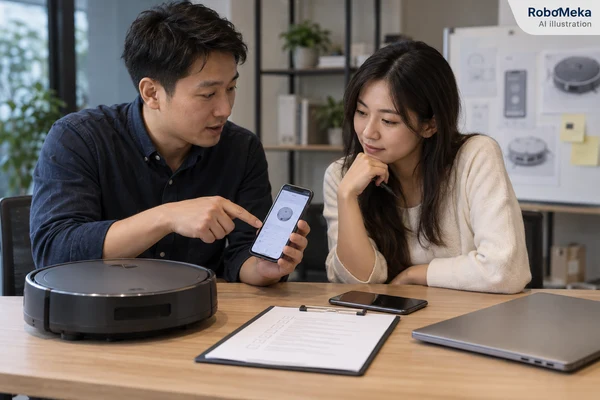
Use two authorized test accounts and ordinary supported app installations. Record the app version, operating system, region and robot firmware. The initial owner should complete setup according to the manual before sending an invitation through the documented sharing control.
Observe how the recipient finds and accepts the invitation. Check whether they must already have an account, whether the invitation clearly identifies the intended robot and whether both sides receive an understandable status. A successful send message is not the same as a completed and usable share.
Include a harmless correction scenario, such as canceling an invitation before acceptance using supported controls, if available. Verify the displayed state on both phones afterward. Do not use real customer identities or send invitations to uninvolved people during evaluation; controlled test accounts provide the needed evidence.
If sharing fails, check documented prerequisites before treating the feature as broken. Roborock's Mi Home sharing guidance gives an example where matching region selection is required for that particular app workflow. Do not transfer that exact requirement to other platforms without confirmation.
Verify daily control without confusing ownership
Once sharing is accepted, ask the recipient to perform only the agreed ordinary tasks. Start a short supported routine, pause it, return the robot to its dock and inspect the resulting status. Observe whether both phones converge on a consistent state and whether the app explains a command that cannot be performed.
Test sequential commands from different users before considering more complex interactions. For example, one user starts a routine and the other pauses it after the state has updated. Record how the first phone reports the change. This can reveal usability problems without needing aggressive command flooding or unsupported API access.
Then evaluate a realistic conflict, such as an owner changing a schedule while another user has the schedule screen open. Follow the supported interface and record which saved state becomes active and what the other user sees. The buyer needs predictable behavior or a clear explanation, not necessarily a specific conflict-resolution design.
Check whether the shared user can accidentally remove a device from their own list without removing it for the owner. Similar labels may have different consequences. Screens that change ownership or reset data should make the scope understandable in the target language and in the actual app version supplied.
Send your household access requirements to RoboMeka with the roles, permitted tasks and phone platforms relevant to your market. Ask for a working demonstration of invitations, permissions and removal using separate accounts on the proposed robot configuration.
Review maps, history and optional viewing features
Access to a robot can expose more than a start button. Depending on the model, the app may display room labels, cleaning history, obstacle images or optional live viewing. Determine which of these exist in the proposed product and what each shared user can see. Do not imply camera functions where the robot has none.
For sensitive functions, examine the actual controls and notices. Ask whether access is separately enabled, whether the owner can identify that it is active and how it is removed. These are product questions that should be answered with model-specific evidence rather than a broad statement that the app is secure.
Use a mock household map and nonpersonal test information during evaluation. Avoid uploading real customer floor plans merely to assess interface permissions. If support diagnostics are part of the workflow, ask the supplier what information the user submits and how the handover explains that action.
Separate what the interface shows from what has been independently verified about the service. A permissions demonstration can establish visible behavior under the tested conditions. It does not, by itself, validate encryption architecture, backend isolation or regulatory compliance. Those claims require their own appropriate evidence and review.
Test removal as carefully as invitation
Access removal should be part of sample approval, not something first explored when a guest leaves. Use the owner's documented control to revoke the recipient's access. Check the result from the recipient's app after normal refresh or reconnect steps specified by the supplier.
Record what happens to visible device entries, commands and previously loaded information. The app may remove the device, show an unavailable state or provide another documented response. The supplier should explain expected behavior and timing; the buyer should not invent an immediate-revocation guarantee from one favorable observation.
Evaluate an ordinary offline-to-online transition with the supplier's supported procedure. A phone that was disconnected when access was removed should be reviewed when it reconnects. This remains a normal authorized workflow test. It is not a reason to probe accounts, bypass controls or attempt access outside the permissions granted for evaluation.
The Wi-Fi and offline-operation guide helps separate connectivity questions from account permission questions. Losing network access and losing authorization are different conditions, and customer instructions should not confuse one with the other.
Keep smart-home integrations in the access picture
If the product supports voice assistants or other smart-home services, determine how those links relate to device sharing. An invitation inside the robot app may not create or remove permissions in another service. Ask for the documented account-linking and unlinking procedure for each integration included in the product claim.
Test only integrations in the agreed scope using authorized test accounts. Record which household identity owns the link and which commands it provides. A product that offers shared app access but requires a separate smart-home arrangement can still be useful, provided the distinction is explained clearly.
When a user is removed, review the supported procedure for any additional linked services that could still matter. Do not state that one button revokes all access across every platform unless that behavior has been documented and appropriately verified. Household handover should make the relevant responsibilities visible without burying the user in implementation details.
Notifications also need review. Determine who receives errors, task completion messages and maintenance reminders, and whether the preferences are personal or shared. Too many duplicate messages can be inconvenient, while no responsible person receiving a blocked-robot alert can leave the product unattended in an incomplete state.
Plan ownership transfer, returns and replacement
Sharing a robot is not necessarily transferring it to a new owner. Ask how a customer removes the old ownership relationship and how the next owner completes setup. Confirm the required reset, unbinding and account steps from the actual platform instructions; the order can matter and should not be guessed.
Use a controlled transfer trial during qualification if the supplier supports it. Record what happens to the map, schedules, shared users and linked services. Clearly distinguish device reset from account deletion, because a customer may own more than one product and intend to transfer only one robot.
For returns, create a support route that avoids requesting customer passwords. Authorized service staff should follow the documented reset and ownership-resolution process and explain what the user must do themselves. A unit that remains associated with another person's account may need additional support before resale or replacement handling.
If a household receives a replacement robot, verify how the owner and invited users gain access to the new device. Do not assume the original sharing arrangement or map transfers automatically. The cleaning-product after-sales and sourcing cost guide helps include this support work in the purchasing decision.
Approve the software workflow and its support ownership
The sample acceptance record should name the robot, firmware, app version, supported regions and permission behavior that were actually evaluated. Keep owner and recipient screenshots together so a reviewer can understand both sides of each action. Document limitations such as fixed shared roles or unavailable temporary-expiry controls.
Ask who maintains the sharing feature and the customer instructions when the app changes. A private-label arrangement should clearly allocate responsibility for defect investigation and updated guidance. Avoid promising a feature roadmap to customers unless the supplier has committed to the scope and delivery and the feature is verified before launch.
Factory testing can confirm software identity, basic connection and agreed command response using noncustomer test accounts. Shipment inspection should verify the correct app onboarding references and manuals and ensure evaluation units are not delivered bound to inappropriate test accounts. These are controlled release checks, not substitutes for the earlier permission evaluation.
Finally, train support staff around the small set of facts needed to help: model, app version, intended owner, invitation status and the action that failed. They should never need a customer's password to understand those facts. A concise workflow makes ordinary household sharing easier to support throughout the product's life.
Frequently asked questions
Can two people control one robot vacuum with separate accounts?
Some platforms support this through device sharing, but available functions vary by app and model. Verify the proposed product using an owner account and a separate recipient account. Check invitations, routine control and removal rather than assuming that an app description guarantees identical capabilities across the whole product range.
Is sharing the owner's password the same as sharing the device?
No. A separate device invitation can have different permissions and removal controls from another person signing into the owner's account. Prefer the supported invitation method when it meets the household's needs. If the platform only offers broad shared control, explain that limitation instead of presenting it as a configurable guest role.
Should shared users be able to edit maps and schedules?
That depends on the household requirement and the platform's supported roles. Buyers should specify the intended behavior and verify it directly. Running a saved routine and changing future cleaning behavior are different capabilities. A fixed shared role may be acceptable, but the owner should understand what another user can modify.
Does removing a shared user also remove voice-assistant access?
Do not assume so. Robot-app sharing and a linked smart-home service may use different account relationships. Obtain and test the documented unlinking procedure for integrations in scope. Customer handover should explain any additional step required, and claims about complete access removal should match the verified behavior of the actual services.
What should a buyer verify before a returned robot is reassigned?
Verify the supported ownership removal and reset process, what happens to stored household information and how the next owner sets up the unit. Keep account deletion separate from device transfer. Follow authorized support procedures without collecting passwords, and resolve any remaining binding issue before representing the robot as ready for a new household.
Conclusion
Shared household access is a complete lifecycle: invitation, everyday control, permission boundaries, removal and eventual transfer. Buyers who evaluate each stage can choose a platform that matches their customers and explain its limits accurately. That is more useful than approving multi-user support from a single sharing icon or an unqualified security claim.
Ask RoboMeka for a shared-access evaluation with your intended household roles, required permissions and target phone platforms. Request a model-specific demonstration and a clear support process for access removal, ownership handover and replacement devices.