The short answer
Specify offline robot vacuum operation function by function. Distinguish local controls, Wi-Fi, internet access and cloud services, then test supported interruptions and recovery. Confirm regional app availability and setup requirements without asking customers to weaken network security or share private credentials.
Introduction
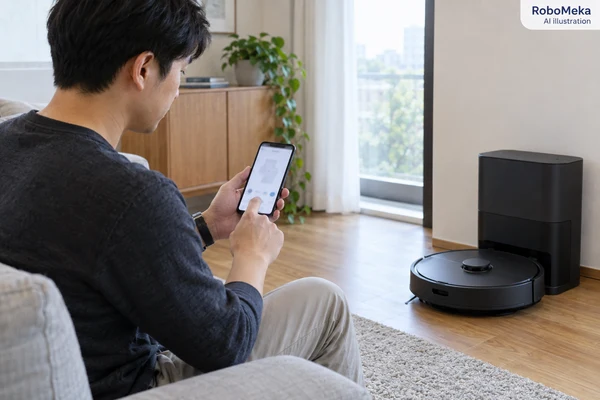
A customer presses the robot's cleaning button and it starts. The app still says offline. Both observations can be correct because local controls, the home network, internet access, and the remote service are different parts of a connected product.
For importers and private-label brands, robot vacuum Wi-Fi and offline operation should be specified function by function. “Works without Wi-Fi” is too broad if it leaves buyers guessing about schedules, saved rooms, remote control, notifications, or map editing. “Requires the app” is equally unclear unless it explains what requires the app and when.
This guide proposes a procurement checklist for connected robot vacuum configurations. It covers onboarding, ordinary network interruptions, restoration, support, and customer communication. It does not claim that every RoboMeka model supports the same connected features or offline behavior. Those details require confirmation for the exact robot, app, region, and software offered.
Define what offline means in the test record
A missing internet connection is not necessarily a missing Wi-Fi connection. The router can still provide a local wireless network when its external connection is unavailable. Conversely, the internet may be working for the household while the robot cannot join the wireless network.
The phone introduces another distinction. It can be connected to the same local network as the robot or accessing the app over a mobile connection elsewhere. An app failure observed in one arrangement does not automatically explain behavior in the other.
Separate four conditions
Create distinct test cases for a robot that has never been paired, a paired robot without wireless access, a paired robot with local Wi-Fi but no internet access, and a robot with its normal connection restored. Use a dedicated test network where interruptions will not disrupt unrelated users or systems.
Add service-side behavior to the supplier questionnaire. Buyers cannot safely or reliably simulate every remote-platform outage themselves, but they can request an explanation of dependencies and ask how a customer receives status information when the remote service is unavailable.
Separate setup from ongoing use
A function may work locally after initial configuration but require an account during setup. Another may remain available through a physical button without any account. Ask which state each claim refers to. A paired sample on a showroom network can conceal first-use requirements.
Roborock's offline-operation FAQ distinguishes button-operated cleaning functions from additional connected features. This provides a useful example of feature-level documentation. It is not proof of offline capabilities on another product or a substitute for checking a current model's instructions.
Build a feature matrix before testing
List every connected feature that will appear on the packaging or product page. For each one, identify the control method, initial setup requirement, ongoing dependency, and expected behavior when unavailable. This turns a broad connectivity discussion into a document purchasing, engineering, and support teams can all use.
| Function | Questions for the supplier | Buyer observation |
|---|---|---|
| Start and pause cleaning | Which physical controls work before pairing? | Perform the documented local action |
| Return to the dock | Does local return depend on prior setup? | Observe an approved short task and return |
| Saved schedule | Where is it retained and how is time maintained? | Check a planned run during a defined outage |
| Room selection | Is a connected app required to start it? | Record availability and the message shown |
| Map or exclusion editing | Where are changes saved and confirmed? | Compare edited settings after reconnection |
| Notifications and history | Are events delayed, absent, or synchronized later? | Match physical events with displayed timestamps |
| Software updates | What happens if connectivity is interrupted? | Request the supported recovery process |
Do not fill uncertain cells with assumptions. Mark them as requiring confirmation and resolve the features that are essential to the target audience before approval. A simple product with clearly documented local controls can be easier to support than a feature-rich product whose dependencies are unclear.
Use the private-label robot vacuum app guide for the wider software scope. Brand ownership, account administration, app maintenance, and regional availability remain purchasing questions even when the cleaning hardware performs well.
Qualify onboarding on realistic supported networks
Start with the exact network bands and security modes documented for the candidate. Do not assume support based on what a phone can use. The presence of a modern router does not mean every connected appliance supports all of its configurations.
Roborock's connection troubleshooting page identifies network-band compatibility and phone permissions as relevant factors for its covered products. The procurement implication is to obtain a current compatibility statement and test it. Avoid copying legacy troubleshooting changes into a universal network setup guide.
Use the customer-facing app build
Install the app from the documented official distribution channel and use the intended sales region. Record the app version, phone operating system, robot firmware, and language. A supplier's engineering app can help development, but it does not validate the experience customers will receive.
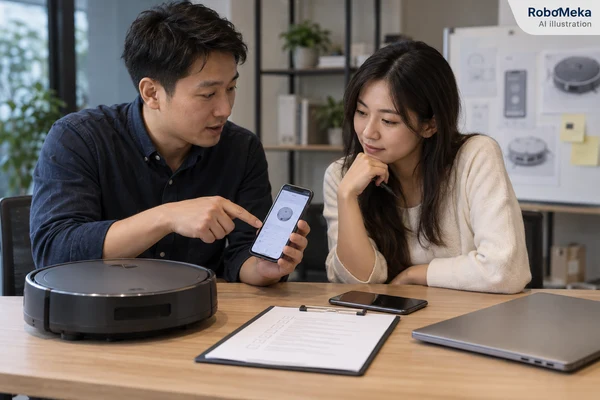
Test account creation, sign-in, device discovery, network entry, pairing confirmation, and the first cleaning command. Record unclear messages and the point at which the robot actually becomes controllable. A spinner followed by a success screen is insufficient if the device remains unresponsive afterward.
Review permission requests in context
Ask what each requested phone permission enables and whether it is required for setup, optional features, or ongoing use. Test the documented response when an optional permission is declined. The interface should explain the consequence without claiming that every permission is mandatory.
Do not weaken a user's network to complete a demonstration. Use an appropriately secured, compatible test network and escalate unexplained incompatibility to the supplier. Password removal, broad security disabling, or unsupported router changes are not acceptable substitutes for a supportable product requirement.
Evaluate the first failed attempt
Successful onboarding is only half the customer experience. Introduce a safe, ordinary input error on the test network, such as an incorrect test password, and observe the recovery path. The app should make it possible to correct the problem without leaving the user unsure whether a device is partially paired.
Check whether the robot can be discovered again after the documented retry procedure. Record how long the evaluator waits before receiving useful feedback, without inventing a universal acceptable duration. The buyer should choose acceptance criteria appropriate to the market and support model.
Where the supplier supports more than one phone platform, repeat the essential setup and recovery sequence on representative supported devices. Do not assume that a successful experience on one operating system validates permissions and network discovery on another.
If your range depends on connected features, send RoboMeka your target countries, supported phone requirements, and offline feature priorities. Include the functions customers must retain during a connection problem so those requirements can be addressed in the product discussion.
Test network loss without confusing the causes
Prepare a baseline with a successfully paired robot, a saved map where supported, and a short task that is safe to observe. Record the last confirmed connection state. Then change only one network condition at a time using the dedicated test environment.
Keep Wi-Fi available while removing internet access
Using the test network's normal administration controls, arrange a defined loss of external internet access while retaining the local wireless network. Observe the documented local controls and any app functions being evaluated. Record whether the app displays a clear connection message or shows stale information.
The result should be expressed narrowly. “The physical start button worked during this test” is evidence. “The product works completely offline” is an unsupported expansion unless every advertised function has been assessed under the relevant conditions.
Remove wireless availability separately
Create a separate trial in which the test access point is unavailable. This is a different condition and may produce different robot behavior. Observe whether the current safe cleaning task continues, pauses, or ends, and what local controls remain usable according to the instructions.
Do not assume that cloud-dependent controls remain available merely because the robot remembers a map. Storage of a map, selection of a task, and delivery of a command can have different dependencies. Ask the supplier to explain unexpected results and repeat only the affected sequence after clarification.
Restore the original connection
Observe whether the robot reconnects without user intervention, how the app updates its state, and whether delayed notifications or history appear. Match the timestamps to the test log. Old information displayed as current can confuse customers even when the hardware has resumed cleaning normally.
Evaluate whether commands issued while disconnected are rejected, queued, or expire. A delayed cleaning command can surprise a household after connectivity returns. The appropriate behavior depends on the design, but the interface and support documentation should make it understandable.
Treat schedules as their own qualification topic
A schedule may be stored locally, managed remotely, or depend on both systems. Ask the supplier where the timing decision is made, how time zone changes are handled, and what happens after a power interruption. Do not infer the answer from the existence of a schedule screen in the app.
Use a safe, supervised schedule test on the dedicated network. Set an approved task, confirm it has been saved, apply the defined connection condition, and observe the scheduled time. Restore connectivity and check whether the task history accurately represents what happened.
Include a customer-relevant interruption such as a routine router restart in a separate trial. Avoid changing the robot's clock or performing undocumented resets to force a result. If time handling requires special engineering access, request documented evidence from the supplier rather than improvising unsupported procedures.
For multi-level products, confirm which floor and rooms the schedule references. The multi-floor mapping evaluation helps distinguish saved task selection from the robot's physical location and access to the dock. A scheduled command cannot move a robot between disconnected levels.
Make network changes and ownership transfer understandable
Households replace routers and change passwords. Ask whether the platform offers a network-change procedure that preserves maps and preferences, and document any exceptions. A connection problem should not automatically lead support staff to recommend a full factory reset.
Separate network reset, device removal from an account, factory reset, and account deletion. These actions can have different effects on maps, credentials, schedules, and access. The manual should name the correct action for the specific customer objective rather than using “reset” without explanation.
For resale, returns, or demonstration units, use the documented ownership-transfer process and verify that the previous test account no longer controls the device. This is an access-management check, not a legal conclusion about privacy compliance. Request the supplier's current account and data-handling documentation for the target market.
Request a software support commitment that can be evaluated
Connected products need a named owner for app maintenance, service incidents, and firmware distribution. Ask who provides technical support, how issues are escalated, and how the brand learns about changes affecting advertised functions. A verbal promise that the app is “always supported” is not a usable purchasing term.
Record any recurring costs, service dependencies, and feature restrictions disclosed by the supplier. If there are no subscriptions for the proposed configuration, document the scope and date of that statement. Do not turn it into an unsupported promise that all future services or optional features will remain free.
Request an explanation of update recovery and how customers identify the installed version. For sample evaluation, follow the normal supported update process. Do not deliberately interrupt power during firmware installation unless the supplier provides a controlled engineering procedure and appropriate supervision.
The total sourcing cost guide can help include support workload and software obligations in the commercial comparison. A low unit price does not describe the whole offer when account recovery and connection troubleshooting require ongoing staff time.
Prepare a concise support intake record
Collect the model, software versions, sales region, error message, connection condition, and last successful action. Ask whether physical controls still work and whether other devices can use the household network. Do not request the customer's Wi-Fi password or unrelated account credentials.
Keep screenshots limited to the error and relevant settings, with personal details removed. A precise sequence such as “paired successfully, router restarted, app remained offline, physical cleaning still worked” gives engineering much more useful information than “Wi-Fi broken.”
Define an escalation boundary for shared or professionally managed networks. A customer in a serviced apartment may not control the access point, and a retail support agent may have no authority to change its configuration. Record that context and direct compatibility questions to the responsible network administrator and product supplier. Do not send customers through an endless sequence of router changes when their environment is outside the documented support scope. Clear eligibility information before purchase is especially valuable for distributors serving both individual homes and managed properties.
For shipment inspection, confirm the correct app identifiers, setup instructions, regional labeling, and agreed onboarding checks. Retain a reference unit and configuration record for later comparison. Routine inspection should verify the shipped offer matches the approved connected-product scope, not just that a wireless indicator lights up.
Frequently asked questions
Can a robot vacuum clean without Wi-Fi?
Some models support local cleaning controls without Wi-Fi, but the exact functions differ. Confirm whether the statement applies before pairing or only after setup. Obtain a feature matrix for the offered product rather than assuming that schedules, room selection, and remote alerts also remain available.
Is Wi-Fi the same as internet access?
No. Wi-Fi connects devices to a local wireless network; that network may or may not have an external internet connection. Test both interruption types separately because the robot and app can respond differently to each one.
Should customers disable network security to pair the robot?
No. The product should have documented, supported network requirements and a usable setup path on an appropriately secured network. Evaluate compatibility in a dedicated test environment and escalate unexplained failures rather than recommending broad security changes.
Will saved schedules run during an outage?
That depends on where the schedule and timing functions operate. Ask the supplier, then observe a supported task during a clearly defined interruption. Record whether the schedule was saved beforehand and whether the robot retained the required time and task settings.
Does reconnecting require a factory reset?
Not necessarily. Many product workflows distinguish network changes from full resets, but buyers must confirm the offered model's procedure. Explain the effect of each action on maps, settings, and account access before including it in customer support instructions.
Conclusion
A reliable connected-product offer describes what works locally, what depends on the app or remote service, and how the customer recovers from ordinary interruptions. Qualify onboarding and restoration with the same care as a successful cleaning demonstration, and keep every claim tied to a specific configuration.
To prepare a practical connectivity specification, ask RoboMeka to review your robot vacuum Wi-Fi and offline requirements. Share the intended markets, essential local functions, and support expectations so the connected features can be evaluated before purchase approval.