The short answer
Mirrors and glass can create model-dependent mapping or detection difficulties, but an unusual map does not identify the cause by itself. Record the surface geometry, lighting, dock location and robot revision, then compare supported conditions and actual route completion. Keep virtual boundaries separate from physical protection against hazards.
Introduction
A room map shows space beyond a mirrored wardrobe, or a robot repeatedly approaches a closed glass partition as though the boundary is unclear. The buyer needs to know whether this is a harmless display artifact, a repeatable navigation problem or an installation condition that needs model-specific support. The map alone cannot answer all three questions.
Mirrors and glass can create difficulties for some robot vacuum sensing systems, but the result depends on the complete product and environment. Evaluate the exact robot, software version, surface geometry and room layout. A sensor label such as LiDAR or camera navigation does not guarantee flawless behavior beside every reflective or transparent boundary.
This guide gives importers and private-label buyers a practical way to assess those locations without overstating the diagnosis. The examples describe proposed evaluation methods, not completed RoboMeka field tests. Use the LiDAR versus camera navigation guide for the broader technology comparison, then qualify the actual room conditions that matter to your customers.
Separate the map, the robot and the cleaning result
A map is a software representation of the environment. Physical detection is the robot's response to objects and boundaries. Task completion is whether it cleans the intended accessible area and returns as required. These outcomes are related, but a finding in one does not automatically establish a failure in all three.
For example, an apparent extra area on the app may never become a route the robot attempts to enter. In another hypothetical case, an untidy map could prevent meaningful room selection even though a full-floor run completes. Record the effect on the customer's actual task instead of judging the product only by how attractive the map looks.
An observed contact with glass needs its own record. Note the position, approach and visible event without assuming the sensor mechanism. Do not deliberately stage collisions with fragile objects to prove a theory. If the site includes an unprotected drop, unstable furniture or another hazard, establish suitable physical protection and follow the manufacturer's operating requirements before evaluation.
Use three separate acceptance questions
Ask whether the map represents the usable rooms adequately, whether the physical route is acceptable and whether the requested cleaning task completes. A supplier may have a supported response to a display artifact that does not change the route. Conversely, editing a map can improve its appearance without proving that obstacle detection has changed.
This separation helps define commercial significance. A customer buying room-by-room scheduling needs usable room boundaries. A customer using only whole-floor cleaning may have a different tolerance for a cosmetic map issue. Neither customer should be promised safe access to an environment that the product has not been shown to handle appropriately.
What do manufacturer sources actually establish?
eufy's support guidance for overlapping X10 Pro Omni and X9 Pro maps identifies mirror reflections and strong direct light among possible contributors. It also lists other positioning influences. The article supports considering reflections as one hypothesis for those products; it does not justify diagnosing every distorted map as a mirror problem.
ECOVACS discusses reflective surfaces as a potential difficulty for some robot cleaners, including glass and mirrors. That broad manufacturer explanation is useful context, but it is not a comparative test or a guarantee about a different model. Ask each offered platform for its own limitations and supported setup guidance.
The purchasing conclusion is deliberately narrow: reflective and transparent boundaries belong in application assessment when they are present in the target homes. They should not become a blanket claim that one navigation technology always fails or another always succeeds. The useful evidence is the complete model's behavior in a documented setting.
Describe the surface before naming the fault
Record whether the location contains a mirror, transparent glass, tinted glass, a glossy panel or a combination. Note the lower edge, frame, nearby furniture and the robot's approach path. A mirror mounted above a substantial cabinet presents a different physical layout from a mirrored door extending close to the floor.
For glass doors, record whether they were open or closed. A change in door position alters the available route as well as the visible scene. A screenshot taken after the door moves may not explain the environment present when the map was created. Link photographs and map captures to the same run identifier.
Include lighting without inventing a universal brightness rule
Record ordinary conditions such as daylight, curtains open or closed, and the room's normal artificial lighting. Follow the exact robot's setup instructions. Do not assume that brighter is always better or that every camera-equipped machine has the same requirement. Model guidance takes priority over a generic lighting prescription.
Avoid theatrical test scenes involving intense lamps, unsupported sensor coverings or fragile loose mirrors. The aim is to represent the homes the product will serve, using stable fixtures and safe approved conditions. A controlled mock room can be useful when a supplier needs a repeatable comparison, provided the fixture and its limitations are documented.
| Scene detail | What to capture | Why the buyer needs it |
|---|---|---|
| Boundary material | Mirror, transparent pane or other surface | Prevents vague reports of a shiny wall |
| Height and frame | Lower edge and surrounding structure | Defines the geometry encountered by the robot |
| Door state | Open, closed or moving during the run | Separates route changes from sensing questions |
| Lighting | Ordinary daylight and room-light condition | Makes comparisons reproducible |
| Observed outcome | Map artifact, contact, missed area or failed return | Connects the symptom to customer impact |
Establish a clean baseline before changing the room
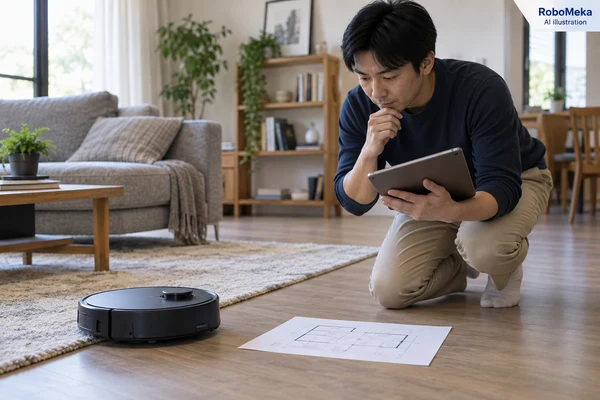
Start with the manufacturer's normal mapping preparation. Confirm the dock location, sensor-care requirements, floor access, robot configuration and software version. Keep furniture and doors in their documented positions. A baseline with several uncontrolled changes makes a later apparent improvement difficult to interpret.
The ECOVACS mapping guide advises preparation such as opening intended doors, not manually moving the robot during mapping and keeping the dock in place afterward. Use this as an example of documented setup controls, while following the offered model's own process. Do not transfer app menus or specific mapping actions between platforms without confirmation.
Preserve the original evidence before resetting
Capture the problematic map and the associated task information before any supported reset or remapping. Record whether the map is newly created, restored or updated during ordinary use. A reset can remove useful evidence, and it may also remove room settings or schedules depending on the product.
Ask the supplier what a particular reset changes. Distinguish a network reset, map deletion and factory reset. They are not interchangeable troubleshooting steps. The customer should understand the consequences before using the supported procedure, especially when a household has invested time in room names and cleaning routines.
Do not repeatedly remap until a visually pleasing result appears and then report only that attempt. Retain the number of runs, changed conditions and interventions. An acceptable outcome should be repeatable under the stated normal arrangement, not dependent on selectively keeping one favorable screen image.
To plan a focused assessment, send RoboMeka your mirrored-room or glass-boundary layout. Include photographs, approximate geometry, intended cleaning routines and the affected map behavior so a model-specific evaluation can be discussed before range approval.
Change one supported condition and observe the consequence
A comparison should have a clear question. If the supplier recommends a different dock position, record the original and proposed locations and complete the supported setup process. If ordinary curtains are part of the room, document their normal positions and evaluate the supplier-approved conditions relevant to the customer's use.
Do not combine a dock move, firmware update, map reset and furniture rearrangement into one unexplained fix. If the result changes, the buyer would not know which action mattered. Sequential, documented comparisons are more useful for support and for deciding whether the customer can realistically maintain the required setup.
Treat a temporary screen as a diagnostic arrangement
Where the manufacturer recommends a safe, stable screening arrangement for a reflective boundary, describe exactly what was changed. Obtain permission for any alteration to the property and avoid adhesive treatments that could damage finishes. Do not cover the robot's sensors or interfere with safety systems as a workaround.
A temporary screening result only establishes behavior under that screened condition. It does not prove normal operation after the screen is removed. If a product needs a persistent environmental change, that condition belongs in the acceptance decision and owner guidance. It should not disappear from the record when the final product photograph is taken.
Keep the original customer requirement in view. If buyers are selecting a robot for homes with prominent mirrored wardrobes, asking every owner to redesign the room may be an unacceptable trade-off. A different model, a limited cleaning scope or an unresolved application may be the honest result of the assessment.
Evaluate virtual boundaries for their actual purpose
An app boundary can define an area the owner does not want cleaned when the feature is supported. It does not turn a transparent surface into a physically different object or prove that the underlying map has become accurate. Ask how the boundary is stored and whether it remains aligned with the intended location during normal operation.
Virtual exclusions must not substitute for physical protection at stairs, exposed drops or other hazards. Keep hazardous locations outside the ordinary room-fit evaluation and follow the product's safety instructions. The purchasing question here is how to manage a permitted cleaning area, not how to rely on software as a protective barrier.
Verify the customer task after editing
After a supported room edit or exclusion, run the actual intended routine. Confirm the usable room can still be selected, the robot reaches the accessible cleaning area and the return route remains practical. Record any area intentionally left uncleaned so the result is not presented as complete coverage of the original requirement.
For more complex routines, the room cleaning sequence guide helps distinguish selected room order from transit and dock visits. A mapping workaround that preserves one full-floor pass may still interfere with a room-specific schedule. Evaluate the functions the customer will actually use.
Check whether the result persists during ordinary use
Initial mapping is only one event. A useful evaluation includes subsequent supported cleaning tasks and normal dock return. Observe whether the map remains usable, whether room labels and exclusions behave as expected and whether the owner must intervene again. Keep the conditions within the approved use environment.
Record ordinary changes that matter to the target home, such as a wardrobe door in another usual position or daylight at another cleaning time. Do not claim that a few observations cover every season or lighting arrangement. They can reveal a limitation or support a conditional decision, but they are not a universal navigation reliability rate.
Recheck meaningful product changes
A firmware change may affect mapping behavior, but an update notice is not proof that a specific room issue is resolved. Ask for the relevant release information and repeat the affected task after the update using the supported installation procedure. Preserve the before-and-after versions with the evidence.
Likewise, a replacement robot should be identified separately from the earlier sample. If a housing, sensor arrangement or software branch differs, document it. Sample acceptance remains useful only when purchasing and support can determine which configuration produced the observed result.
The multi-floor mapping guide covers another possible source of map confusion: selecting and maintaining the correct floor context. Check that the issue is actually associated with the reflective scene before concluding that a room on another saved floor has been misinterpreted because of glass.
Build a support report that an engineer can use
A useful report contains the robot model, software and app versions, run time, scene photograph, map capture and a plain description of the event. Mark the physical location on a simple room sketch. Explain what the owner expected and what changed, including any recent dock move or room rearrangement.
Request logs only through the manufacturer's supported process and with the owner's understanding. Home maps and images can reveal private details. Keep shared evidence limited to the relevant area and avoid collecting credentials or unnecessary household information. A concise, well-labeled report is more useful than a large folder of unrelated screenshots.
Support should separate observed facts from hypotheses. “The map extended beyond the wardrobe during this run” is evidence. “The laser is defective” is a diagnosis requiring more information. This language lets the supplier investigate without prematurely assigning a hardware fault or dismissing the customer's experience.
Frequently asked questions
Do mirrors always confuse robot vacuums?
No. Some manufacturers identify reflections as a possible influence on certain models, but behavior depends on the complete sensing system, software and room. Assess the exact configuration in the intended scene. A single successful or unsuccessful video cannot establish how every robot will behave near every mirror.
Does an extra room on the map mean the robot will enter it?
Not necessarily. A map artifact and a physical route are different observations. Check what the robot actually does and whether the artifact affects room selection, cleaning or return. Do not assume harmlessness either: the practical consequence must be observed under supported conditions and connected to the customer's task.
Is a camera robot automatically better around glass than a LiDAR robot?
That conclusion is too broad. Products combine sensors and software in different ways, and the glass geometry and lighting also matter. Compare complete models with documented procedures instead of ranking one sensor label. Request specific evidence for the application that the customer needs, including any limitations or preparation requirements.
Can a no-go zone solve a mirror mapping problem?
It may help manage a supported cleaning area, but it does not prove the cause is resolved or establish a physical safety barrier. Confirm that the exclusion remains aligned and that the intended routine still works. Use appropriate physical protection for hazards and follow the exact model's instructions.
Should every mapping issue be fixed by deleting the map?
No. Preserve evidence and check the model's troubleshooting guidance first. Deletion can remove useful configuration and may not address the underlying condition. If remapping is recommended, document what changes, retain the prior evidence and evaluate subsequent cleaning tasks rather than judging only the new map's appearance.
Conclusion
Mirrors and glass require a room-specific evaluation that separates map appearance, physical behavior and useful cleaning completion. Capture the scene, establish a supported baseline and compare controlled changes before assigning a cause. Approve only the conditions demonstrated, and carry any continuing setup requirement into the customer handover.
For your next robot selection, ask RoboMeka to review your reflective-surface mapping requirements. Share the room layout, required routines and existing evidence so the discussion can focus on an appropriate model and a traceable acceptance plan.